
uji77 Brings Indonesia Wallets Into One Casino Home
uji77 puts Speed Baccarat, virgoslot, Rocket Crash, live tables, slots and sportsbook markets behind one clear account path, with phone…

Familiar payment chips for Indonesia
and Indonesia payment rails are described as service context, where local law permits.

Built for phones, clean on desktop too
Cards, tables, FAQ and policy pages stay readable on small screens so you can find information on any device.
Casino and Slots Stay Easy to Scan
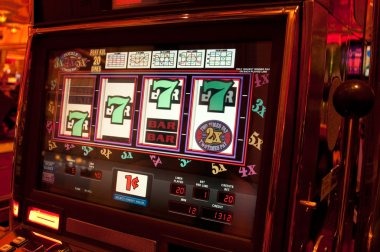
Casino and slots sit in clearly separated areas on our home page, so you can move from the main lobby into slot rooms, live dealer tables or quick-round…







Your uji77 Account Path Starts Clearly
Opening an account from the uji77 home page follows a visible sequence: choose the account option, enter the requested details, complete phone verification and then enter the lobby. We place that route beside the casino categories rather than hiding it inside the cashier. One account connects the casino, sportsbook and supported Indonesia wallets, which reduces repeated setup when you change
sections. Before submitting details, check that your phone number is current and that the name matches the payment account you expect to use. Regional availability depends on local law, and the applicable terms remain reachable from the home page.
Home Facts You Can Check
Your Cashier Shows Each Transfer Stage
Payment preparation starts on our home page with named routes rather than an unlabeled wallet button. Choose DANA, OVO, GoPay or QRIS for a local wallet path, or continue to bank transfer and virtual account instructions for BCA, BRI, Mandiri or BNI. The cashier shows the method and status so you can confirm which route is active before sending funds.
For withdrawals, account and payment details are checked before the request moves forward; keep the receiving name aligned with your verified account. If a receipt or status stalls, use the help path beside the cashier instead of submitting the same request again.
Slot Rooms Sit Beside Wallet Status
One Mobile Route Reaches Every Home Area
A phone browser gives you the same home-page route from account entry to casino categories, sportsbook markets, wallet status and support. We do not require a separate app path: open uji77.club in your browser, use the account controls, complete phone verification when requested and continue to the lobby. QRIS is positioned with the other Indonesia payment choices so you do
not need to search through bank menus first. Portrait screens stack the lobby controls for easier tapping, while a wider screen gives live tables more room. Your active account connects both layouts, so changing devices does not require another account.
uji77 Shows Its Operating Details
Credibility on our home page comes from details you can inspect before entering a game. We name the available Indonesia payment routes, explain phone verification, show where wallet status appears and state…
Named payment routes
We identify DANA, OVO, GoPay, QRIS, bank transfer and virtual account separately, allowing you to choose a known Indonesia route before sending funds or checking the receiving details.
Phone verification
Your account route includes a clear phone check before account entry. This connects the home-page account path to a current number and reduces confusion when you later request help with entry.
Visible regional terms
We state that regional availability depends on local law and keep the relevant terms reachable from the home page, so you can check the applicable conditions before entering the lobby.
Cashier-linked help
Receipt and wallet-status help sits close to the cashier route. You can identify the selected method and current status before asking us to check a DANA, QRIS or bank transaction.

Phone Checks Protect Your Home Access
Account protection begins before the lobby opens. Our home page directs you through one account route and asks for phone verification before account entry, keeping casino and wallet activity connected to the same profile. Use a current number, enter your own account details and avoid sharing credentials with anyone who contacts you outside the site path. When moving between a
phone and a wider screen, use the same account rather than creating another profile. If entry stalls, follow the home-page help route and describe the stage you reached; this gives us a clearer starting point than repeated credential attempts.
DANA and QRIS Keep Cashier Choices Clear
Your home-page payment row presents DANA, OVO, GoPay and QRIS as separate choices, while bank transfer and virtual account routes remain available inside the cashier.
Live Tables and Sports Stay Close
Casino and slots remain connected to live-table and sportsbook areas through the home-page category controls, letting you change sections without starting from the account screen again.
Local Access Terms Stay Visible

Indonesia availability is stated from the home page so you can check the conditions before creating an account or entering a lobby section. Access depends on local law, and you should read the displayed terms that apply to your location and account activity. We keep policy paths near the account and cashier areas because those are the points where questions
usually arise about verification, wallet details or game entry. The home page names supported local rails such as DANA, OVO, GoPay and QRIS without implying that every method is available in every situation. Check the live cashier choices shown for your account before proceeding.
Account Help Sits Near Your Cashier
Help begins with the exact home-page route where the issue occurred. If account entry stalls, note whether phone verification completed; if a wallet status does not change, keep the payment receipt and selected method ready. We position account help close to the cashier so you can describe a DANA, OVO, GoPay, QRIS, bank transfer or virtual account issue without guessing which department handles it. Clear details such as the transaction route, status shown and account stage let us check the issue without asking you to repeat unrelated steps.
Account entry help
Tell us whether the issue appears before or after phone verification and which home-page account control you used. That detail helps separate a verification question from a lobby-entry problem.
Wallet status checks
Keep the payment method, displayed status and receipt available when DANA, OVO, GoPay or QRIS does not update. The cashier-linked route gives us the relevant transaction context.
Bank receipt checks
For bank transfer or virtual account questions, identify the displayed route and whether it involved BCA, BRI, Mandiri or BNI context. Avoid sending a duplicate transfer while status is being checked.
Receipt Checks Have a Clear Route
A useful support request starts with details already visible on our home page or cashier. For account entry, record the point where the route paused and whether the phone check completed. For payments, keep the method name, displayed status and receipt together; DANA and QRIS questions need different transaction context from bank transfer or virtual account checks. Do not send
repeated payments or create another account while a status question is open. Returning through the same home-page support path keeps your account, lobby and cashier context connected, helping us focus on the stage that needs attention rather than restarting the entire process.
uji77 Home Questions Before You Join
These answers cover the decisions most often made from the uji77 home page: what sits inside the lobby, how the account route works, which Indonesia payments appear, how mobile browsing behaves and where status help begins. Each answer points to a visible path or named method rather than making broad claims. Check the active cashier and account controls on the page because availability depends on local law and the choices shown for your account may vary by situation.